
Caution
※Please register your personal email address following these steps to reset password by yourself.
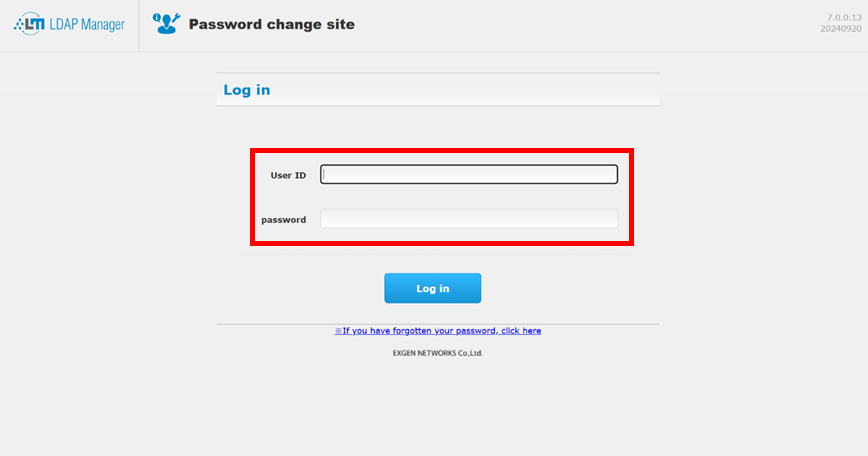
①Access to the site of change password
Enter URL below for Web browser and access to “Log in”
https://pwdchg2.soka.ac.jp:8443/webmtn/LoginServlet
User ID: your account of Soka University
Enter your password and click “Login”
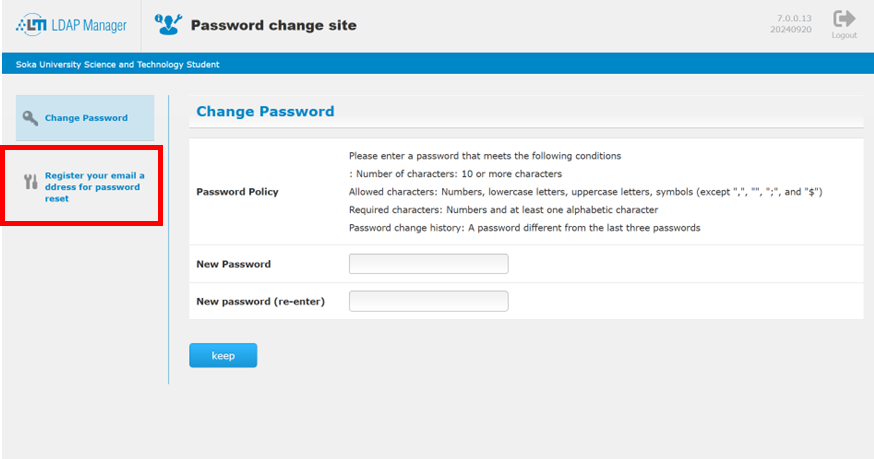
②Click “Register your email address for password reset”
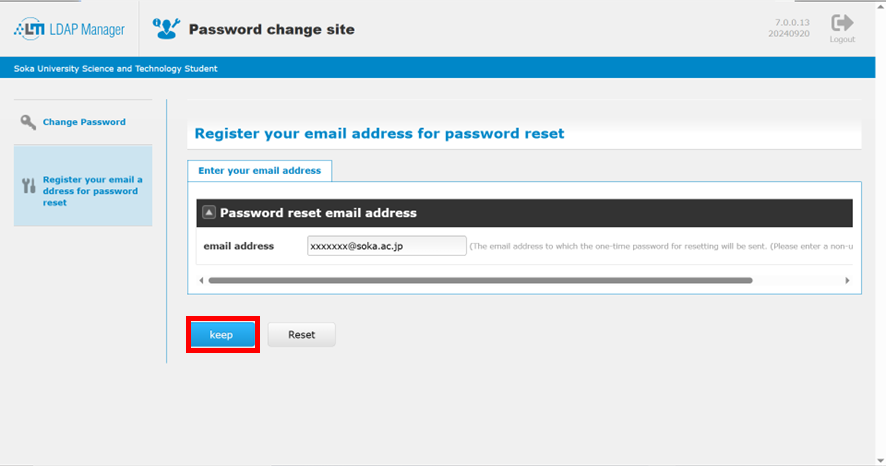
③Enter your personal email address for “email address” and click “keep”
Caution
※Please set your personal email address of your personal cell phone or other email address. (other than a university address)
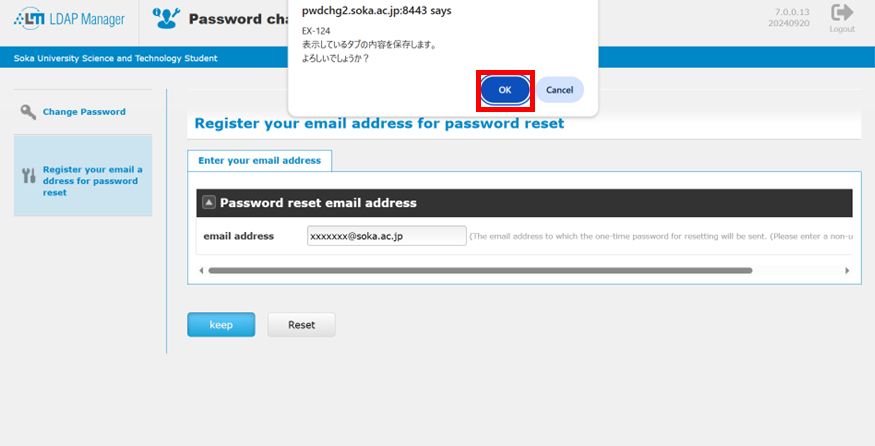
④Shows the Popup , click “OK”
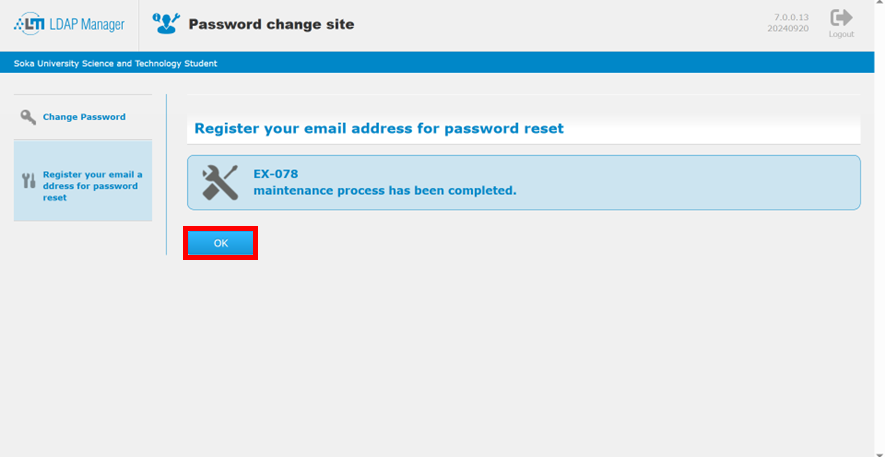
⑤the message “maintenance process has been completed” shows, click “OK”
When forget your password, please reset password by following “Reset password with personal email address“